
Watch the 2-minute setup
LT Strata is a block theme for marine survey, geotechnical and geoscience consultancies: site investigation, geophysical survey, sampling and lab testing, seabed mapping and ground models for wind farms, ports, cables and coastal works. It is the first theme of our motion line. The page reads like a borehole log: as visitors scroll, the background deepens from midwater blue to the abyss and a thin depth gauge tracks the descent. See it live in the demo.
Section patterns (Pro)
| Pattern | Use it for |
|---|---|
| Hero: clarity beneath the seabed | A full-screen Cover with your sea photo or video, site coordinates, a wide uppercase statement with one coral word, a lead, two buttons and a “Scroll to explore” cue with a sonar ring. |
| Intro: what we do | A large statement that brightens line by line while the section holds still, with a short paragraph and three facts. |
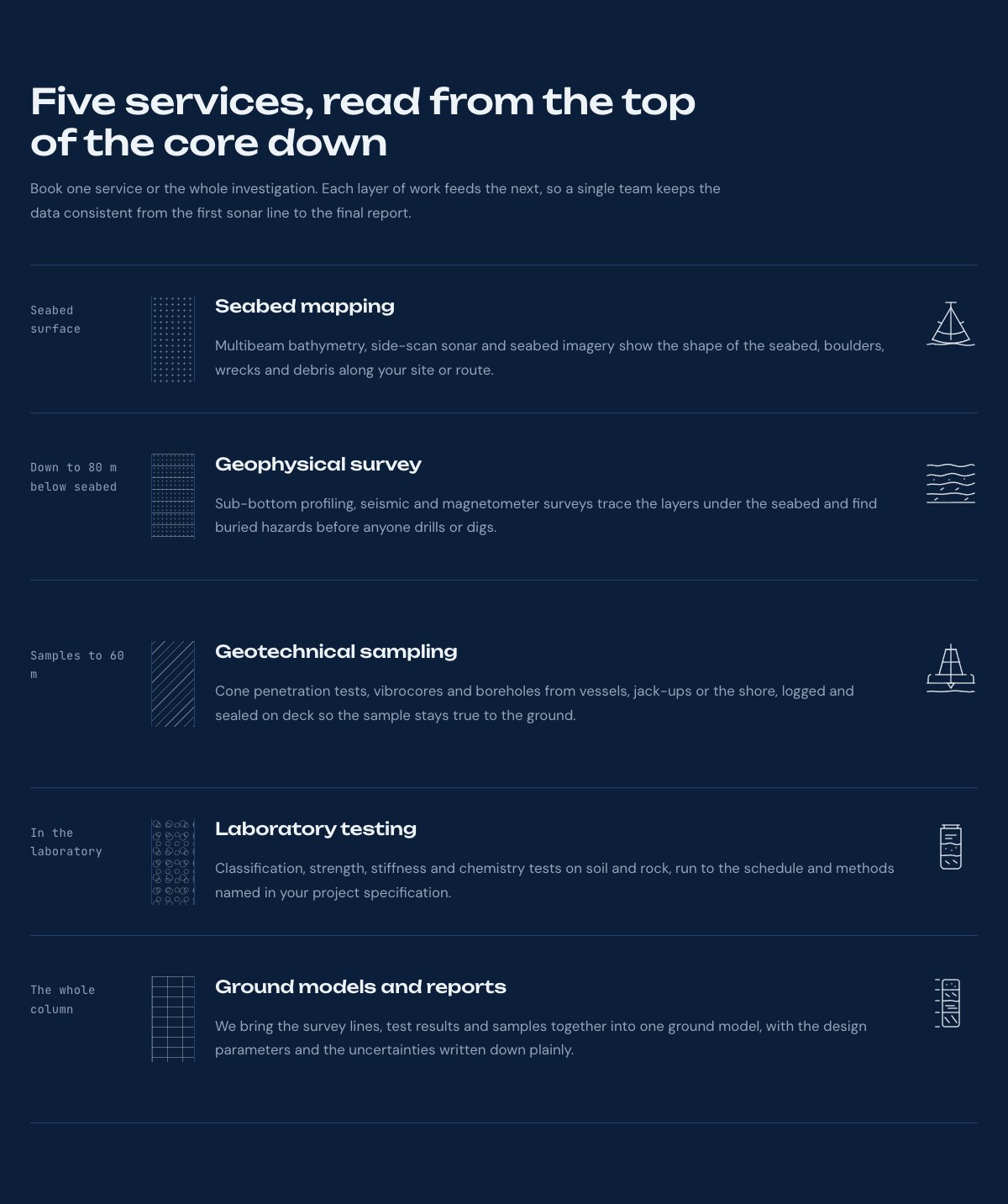
| Services as a core sample | Five services drawn as the layers of a core: what each looks at, a texture strip, the service and a line drawing. Layers rise into view one by one. |
| How a survey runs | Scope, mobilise, survey, lab and report. On wide screens the row runs sideways while the section is pinned; on phones it is a list. |
| Projects | Four sample project photo cards with a soft glow that drift at different speeds around a centred statement. |
| Field record | Four figures in monospaced type, like an instrument readout. |
| Fleet and equipment | Your vessel next to a spec sheet of the main equipment. |
| Team | Four portraits with role and a one-line bio. |
| Client reviews | Three sample quotes (use real reviews only). |
| Engagement options and rates | A rate sheet with dotted leaders and what every proposal includes. |
| Frequently asked questions | When to bring you in, what you need for a proposal, shallow water, lab-only work, standards, weather. |
| Contact details | Call, email and visit, each under a hairline. |
| Office hours and location | Office hours, address, phone and a map with directions. |
| Proposal call to action | A wide statement with the proposal and phone buttons. |
| Latest articles | Your three newest blog posts. |
Page layouts (Pro)
- Home page: the complete homepage.
- Services page: services, how a survey runs, rates, fleet, FAQ and the proposal call to action.
- About page: field record, projects, team, reviews and the call to action.
- Contact page: contact details, office hours with map and the call to action.
Scroll motion
Every effect is a CSS class. Select a block, open Block → Advanced → Additional CSS class and add or remove it. In the Site Editor blocks always show their final state; the motion runs only on the live site.
| Class | What it does |
|---|---|
strata-reveal | Fades and rises once when it enters the view. |
strata-lines | On a heading or paragraph: its lines brighten one after another as you scroll. |
strata-pin | On a full-width section: it holds still while its strata-lines statement progresses (wide screens). |
strata-float | On images: they drift at different speeds as you scroll. |
strata-deepen | On the page wrapper (already set in the page templates): the background moves through the water tones as you scroll down. |
strata-hscroll | On a row of items inside a full-width section: the row runs sideways while the section is pinned (wide screens). |
The theme also has smooth scrolling on mouse and trackpad, the depth gauge on wide screens and a short loader on the first visit to the homepage (click or press Escape to skip it). Visitors who set “reduce motion” on their device see every section at rest with normal scrolling, and so does anyone without JavaScript. Add ?static=1 to an address to see the page without motion.
Use a video in the hero
Select the hero Cover block, click Replace in the toolbar and upload a short MP4 (10 to 20 seconds, muted, 1920 × 1080, under 8 MB). It plays muted and looped behind the statement. Keep the dark overlay at about 60% so the text stays readable, and choose calm footage: a vessel at sea, the sea surface from above, or underwater blue.
Demo content to replace
- Phone
(555) 017-0125, email[email protected]and the Pier Road address in Springfield Harbour (menu panel, footer, contact sections, call to action). - The site coordinates in the hero and the office hours.
- The services, the depths they look at, and the five process steps.
- The four projects marked “(sample project)” and their pictures.
- The field record figures marked “Sample figures.” and the equipment list and specs.
- The four sample team members, their bios and photos, and the reviews from “Sample client”.
- The rates marked “Example prices” and the “Reply within two working days” line.
- The “Request a proposal” buttons: link them to your proposal form or keep the email link with your address.
Write only what is true for your company. Do not add accreditations, memberships, test standards or safety records you cannot show, and do not name clients, vessels, wind farms or ports without permission. Publish reviews only from real clients who agreed to it. Present figures and rates as examples until they are confirmed.
Photo guide
Replace the illustrations and placeholder portraits with your own photos: select the image in the editor, then Replace. These sizes look sharp on large screens without slowing the site down.
| Image | Shape | Upload size | Tips |
|---|---|---|---|
| Hero photo or video | Landscape 16:9 | 1920 × 1080 px | A vessel at sea, the sea surface or an offshore site, with calm space on the left for the statement. A muted MP4 also works. |
| Project photos | Portrait 4:5 | 1000 × 1250 px | One per project: wind turbines, harbour works, the cable route at sea, the coastline. No client logos. |
| Vessel photo | Landscape 4:3 | 1600 × 1200 px | Your vessel or the crew at work on deck, seen from behind or the side. |
| Team photos | Portrait 4:5 | 800 × 1000 px | Head and shoulders, same background and light for everyone. Ask each person before you publish. |
| Map picture | Landscape 3:2 | 1600 × 1040 px | A screenshot of your map, or keep the illustration; the button links to Google Maps. |
| Blog featured images | Landscape 3:2 | 1600 × 1067 px | Shown on the blog cards and at the top of each post. |
| Logo (header and footer) | Wide or square | At least 200 px tall, PNG with a transparent background or SVG | Shown about 44 px tall. Set it in Appearance → Editor: select the logo block. |
| Site icon | Square | 512 × 512 px | The small icon in browser tabs. Settings → General → Site Icon. |
- Save photos as JPEG or WebP and keep each file under about 300 KB (a free tool such as squoosh.app does this).
- WordPress crops to the shape for you: select the image → Crop in the toolbar to choose which part shows.
- Fill in the Alternative text of each photo (for example “Our reception desk”) for accessibility and Google.
- Only use photos you own or have permission for. Ask clients before you publish photos of them.
Colour styles
Deep water (default: abyss navy with signal coral and sonar cyan), Surface (a light site in foam and deep-water blue), Kelp (green-black with lime sand) and Magma (charcoal with ember orange). The motion works in every style. Try them in the live demo with the colour dots in the top bar.
Proposal requests
LT Strata has no built-in form. The proposal buttons open an email; point them to your proposal form page, or add your form plugin’s block to the Contact page. Ask for what you need to scope the work: site or route, what will be built, existing data and the programme.
Ask AI about LT Strata
Ask in your own words. The assistant answers from these docs and links the sections it used.
AI answers can be wrong; check the linked section. Never share passwords or licence keys. Open a ticket